FRONTLINES Roblox FRONTLINES on Mobile
Playable on phone — but only if you respect HUD limits and positioning.
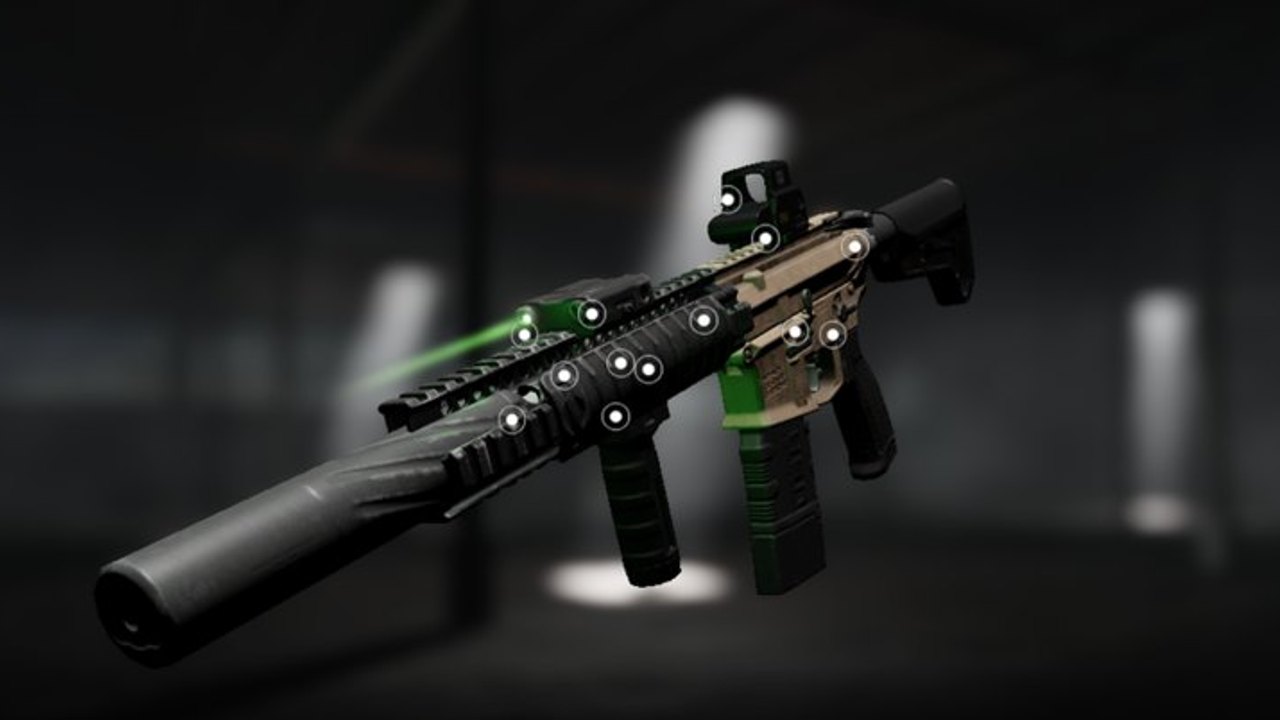
FRONTLINES is a MAXIMILLIAN Roblox FPS released February 22, 2023 with online 7v7 matches across Team Deathmatch, Kill Confirmed, Domination, and King of the Hill. The experience looks closer to a console shooter than most Roblox titles, which makes mobile play tempting — and frustrating when thumbs cover half the screen. This mobile guide explains what phone players can realistically win, what PC users will punish, and how to configure graphics and inputs before you queue.
Mobile vs PC: the honest gap
Mouse users get finer tracking, faster corner clears, and cleaner flick recovery on sniper lanes. Mobile relies on virtual sticks and on-screen ADS buttons with limited customization. Community discussion — including the embedded video on this page — highlights HUD constraints: you cannot always rearrange fire buttons the way PC players rearrange keybinds. That does not make mobile unwinnable, but it shifts the skill ceiling toward positioning instead of raw flick speed.
If you lose a duel on equal footing, assume PC aim advantage until you prove otherwise. Win by holding smarter angles from Maps and Modes, pre-aiming doorways, and refusing hero swings into Launch Canyon sightlines. Mobile Nightwing players who sprint mid-lane die to AWM holds whether or not the sniper is cheating.
HUD limits and thumb discipline
Typical mobile layout stacks movement on the left stick and combat buttons on the right. Problems appear when:
- Thumbs drift toward the center and block center-screen targets
- ADS and fire buttons sit too close, causing accidental zoom during panic sprays
- Chat and menu taps interrupt combat flow during Domination rotations
Keep thumbs high on the bezels when possible. Practice opening settings once per session instead of mid-fight. Full bind documentation lives in Controls — read it even if you never touch a keyboard, because the philosophy (reload behind cover, ADS before wide peek) transfers directly.
Haptics and vibration
Mobile players often report constant vibration during firefights. Haptics can feel immersive on the first mag dump, then become noise that masks audio cues. Check Roblox app settings and your device vibration toggles. Footsteps and hill spawns in King of the Hill matter more than rumble feedback when someone pushes your Factory flank.
If your phone thermally throttles during long sessions, remove bulky cases, lower graphics early, and avoid charging while playing — frame drops on mobile look like teleporting enemies and trigger false cheat accusations. Clarity first; immersion second.
Graphics on phone: use 1–3
The FRONTLINES experience description still recommends lowering graphics toward levels 1–3 when performance dips. On mobile this is not optional advice — it is how you see helmet pixels before they see yours. Open Esc settings, switch to manual quality if offered, and test in a live 7v7 round rather than the idle menu.
Lower settings reduce foliage clutter on Cavalcade-style maps and make muzzle flash less blinding in Factory corridors. Pair graphics work with the full checklist in FPS Performance. Mobile shares the same performance page because thermal throttling and Roblox client overhead behave similarly across platforms.
Positioning tips that multiply mobile aim
Mobile wins come from lanes you do not have to flick across:
- Hold doorways instead of clearing entire rooms alone — pair with a teammate in Kill Confirmed.
- Rotate early on Domination when the point is lost; mobile reload timing is slower under pressure.
- Anchor one hill entrance in KOTH with pre-aim head height instead of spinning 360° on a stick.
- Play mid-range MP5 or attached M4 on mixed maps before forcing Nightwing hipfire duels against PC stacks.
- Use secondaries during reload windows — see secondary weapons.
Cross-check gun choice on the weapons tier list. AS VAL and Nightwing work on mobile only if you respect magazine discipline taught in Getting Started.
Loadout and sensitivity on small screens
Start with forgiving primaries. Unlock horizontal control attachments before exotic receivers — Attachments applies to mobile mains the same way. Log sensitivity changes with the sensitivity calculator whenever you adjust the in-game slider; a higher frame rate after graphics drops can make the same number feel faster.
Skills from skills loadouts that improve survival or ADS speed often beat raw aggression perks when your thumbs already multitask movement and fire. A mobile CQB kit might be AS VAL with survival column support rather than triple entry perks you cannot execute under HUD clutter.
Fair play and chat on mobile
Typing /votekick [player name] [reason] on a phone keyboard is painful but necessary when exploiters ruin lobbies. Memorize the syntax from Votekick and Hackers before you need it mid-round. Pre-type common reasons in notes if your device supports paste — “wallhack” and “tracking smoke” save seconds.
Do not install mobile executors because one player tracked you — read scripts risks instead. Mobile bans hurt the same as PC bans.
When to queue mobile vs switch to PC
Mobile is fine for learning modes, grinding Credits on comfortable guns, and playing with friends who cover your blind swings. Switch to mouse when you want to main AWM on Launch Canyon or compete in stacked 7v7 lobbies where every peek is a duel. FRONTLINES has crossed 200M+ visits — populations vary by hour, but skilled PC stacks still appear in public queues.
Track rare balance notes on the updates hub. Content patches from MAXIMILLIAN are infrequent; Roblox “last updated” timestamps often reflect platform noise rather than new guns. Mobile HUD behavior may still shift when the studio posts — confirm in official links after Discord announcements.
Mobile session checklist
- Graphics 1–3, tested in combat
- Vibration reduced if audio matters more
- Thumbs positioned to avoid center-screen block
- Primary matched to map from Maps and Modes
/votekicksyntax ready in Votekick and Hackers- No codes stall — confirm empty status on codes and progress via Level Up and Credits
Mobile FRONTLINES is a positioning game wearing an FPS skin. Configure once, then let angles do the aiming work your thumbs cannot.
Frequently Asked Questions
Quick answers for FRONTLINES operators.
Can you play FRONTLINES on mobile?
Yes through the Roblox app. Expect tougher aim duels vs PC; lean on Maps and Modes positioning.
What graphics should mobile use?
Often levels 1–3 for clarity. Follow FPS Performance and test in live matches.
Why does mobile feel harder?
HUD limits, stick precision, and haptics. Read Controls for habits that transfer to touch.
Should mobile players use Nightwing?
Only with magazine discipline. MP5 or AS VAL are safer until fundamentals from Getting Started stick.
How do I votekick on mobile?
Type `/votekick [player name] [reason]` in chat. Etiquette is in Votekick and Hackers.
Does mobile get updates slower?
Patches are rare for everyone. Roblox last-updated noise is not a content patch — track updates and Discord.